Power BI

Description
Power BI Training With Certification is a fantastic tool for businesses looking to begin, organize or expand their business intelligence initiatives.
Unsurprisingly, the well-known Microsoft product has become an extremely sought-after platform for data analytics worldwide.
What Is It That Makes Power BI Training Certification In Ghaziabad Different?
Let's examine these benefits more in-depth.
When Used Properly, Power BI Can Give Everyone Access to Valuable Business Data
One of the most significant advantages of Power BI's platform is that it helps businesses create more of an environment driven by data. One that is data-driven is one in which all decisions are based on facts, not feelings or intuition.
Power BI helps companies accomplish this task more efficiently by providing business intelligence tools at the organization's disposal.
As a result, everyone in the company may make decisions based on up-to-the-minute data.
Power BI is currently available in two forms: Power BI Desktop and Power BI as a service. Power BI Desktop is free, meaning everyone in an organization can get and use it immediately.
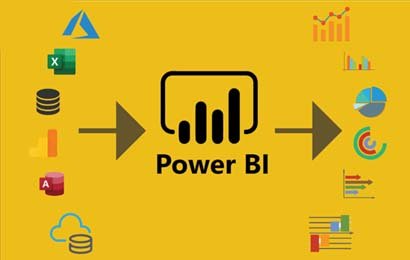
Power BI Desktop lets users connect to data and build reports that feature rich visualizations.
The reports are eventually made available (as charts) on the web edition of Power BI, known as "the" Power BI service. It is within the Power BI service that reports are published.
Interactive Information Comes Alive With Power BI
Data is useful when it can provide valuable business insights and stories that aid decision-makers in making better choices.
One can use Power BI to transform data. The users can link their information to Power BI and choose from many different visualizations to share stories about their data to help gain and share knowledge.
Implementing such visualizations is a breeze, and Power BI Course Training capabilities let you drag and move visuals around to produce informative, clear, well-organized reports and dashboards.
Additionally, these visuals are interactive and interactive, which is an enormous advantage of Power BI.
Users can sort reports and dashboards and see their visualizations adapt and refresh in mere seconds based on their recently implemented filtering needs - all to gain more information from their information.
When Security is easily attainable by Power BI
Power BI has many security options that allow users to safeguard sensitive data and comply with different standards for Security and compliance.
Power BI Certification Course takes advantage of Microsoft's Cloud App Security feature, which "offers complete access into all of your Microsoft and third-party cloud services, complete command over data movement, and advanced analytics to detect and counteract cyber threats."
Power BI's sensitivity labelling makes it simple for administrators to inform consumers and users of sensitive information types that one should handle differently. The well-known Microsoft product also comes with encryption options that further protect information.
Finally, developers can use the row-level Security (RLS) features to design and assign roles to various users. This security feature dramatically benefits businesses with information only accessible to select employees (or groups of employees).
Allows for simple integration with a wide variety of databases.
I'm not planning to spend much time discussing this advantage of Power BI. The robust data analytics platform connects numerous data sources, from files with data like Excel and CSV to databases and online databases such as Salesforce and Adobe Analytics.
Power BI's integration with Excel is fantastic, allowing users to "easily [transfer] all of your current Excel queries, data models, and reports to Power BI--without learning a new application or language".
Attain Power BI Course has Artificial Intelligence Capabilities.
Power BI possesses artificial intelligence capabilities that let users benefit more from their data and reports. It provides three compelling AI visualizations that developers can employ to explore their data, gain insights, and discover trends that are difficult to locate.
Constantly Being Improved Because Of Its Best Features
Microsoft continues to pour its time and resources into Power BI, showing precise determination to make it among the world's top valuable and efficient data analytics platforms.
It is not uncommon to add new features to the tool while existing features are regularly altered and upgraded.
Excel at content dissemination with Power BI Apps
Apps that are part of Power BI are a convenient way for report writers to share Power BI content with consumers in any way, be it in large numbers, an entire business, or just one individual.
The benefits of Power BI apps firsthand throughout our work as consultants. We recently helped a substantial retail company make the most from this function.
After aiding our clients to enhance their data, adopt Power BI, and generate unique dashboards and reports, we helped them build a robust Power BI app to effectively communicate the Power BI Course Training Ghaziabad content with other employees.
The application has been a massive success, and the process has allowed our client to encourage creating and developing a culture based on data.
Power BI Certification Training in Ghaziabad: Advantages
Power BI course Training Ghaziabad is a business analytics software. Business intelligence is critical to be competitive, agile and productive. As businesses grow, they often face many challenges in keeping track of the data produced.
Trending Technologies Training Certification is a cloud-based solution that requires no cost of capital or infrastructure support, whatever the dimension of the business.
The most recent version of the software is free of the limitations of older software, and users don't require any specific instruction to create business intelligence data.
Type of all Microsoft cloud-based services, the installation of Power BI is rapid and easy. Being Power BI Training Certification provides unique advantages to your business. The benefits of this business analyst training make you a gift for your company.
Once you've earned your Power BI certification, you'll gain a wealth of knowledge that will allow you to perform tasks such as:
Transforming data using Power BI
Desktop involves joining data sources, making transformations, and cleaning the data.
Modeling and Visualizing Data
It equips you with the knowledge to develop custom or improve existing data models, resulting in calculated columns and tables that measure every employee's performance using gauges, KPIs and cards.
It also helps in creating organizational hierarchies and helps in managing custom-designed reporting tools.
Configure Dashboards Reports And Apps
It teaches you how to set up a dashboard to create and publish reports. Additionally, it teaches the knowledge required to set up security settings for dashboards, apps, and notices.
When you've earned your Power BI certification Course in Ghaziabad, you will know how to set up applications and workspaces for apps.
Other benefits that come with the Power BI Training Certification include:
There are no speed and memory limitations. Moving a current BI system to a solid cloud-based environment using Power BI integrated eliminates memory and speed constraints, ensuring data retrieval is speedily and then analyzed.
Power BI tools can seamlessly integrate with cloud services with advanced features such as Cortana and the Bot framework. Therefore, it will provide the query results for data spoken through natural language.
No technical expertise is required. Power BI delivers agile inquiry and analysis without the requirement for technical help. It has a robust natural language interface, as well as the use of visual design tools.
The ability to extract business intelligence quickly and precisely - It assists in transforming your company's data into stunning visuals, thereby collecting business intelligence for better decision-making.
Illustrations of Power BI Training Course In Ghaziabad
Due to the power of Power BI, it can be used in various ways by companies.
Since it's a data-centric tool, It's an excellent instrument for companies that deal with complex amounts of data.
Based on this information, business leaders can make better-informed decisions about allocating resources.
These are just a few other examples of Power BI being used to help businesses.
Sales teams can use data visualization to measure their sales teams' progress over time.
Dashboards allow managers to track several teams' progress simultaneously and see the team's actions in one glance.
Ad-hoc analysis is easy for data analysts with Power BI because you can analyze data without relying on IT or other staff members for technical problems.
Marketers can use Power BI to monitor their pipeline of sales leads and lead generation.
Product managers can quickly monitor the key metrics affecting the product's performance through dashboards and Power BI visualizations.
Finance departments can gain insight into how they function with the help of receivables, accounts payable, and inventory management information.
Power BI Training Certification in Business has increased in importance over time since it's being utilized for data visualization by professionals in the business to gain insights into the performance of their companies.
Softcrayons is the best IT Training Institute in Ghaziabad. So Take admission in the best Courses and attain IT Training Certification now.
Curriculum
- 7 Chapters
- Introduction to Business Intelligence (BI)
- Stages of business intelligence (BI)
- Use cases of BI
- Various BI tools
- Overview of Data warehouse & concepts
- Introduction to Power BI
- Why Power BI
- Power BI Components
- Power BI pricing structure
- Building blocks of Power BI
- Architecture of Power BI
- Power BI vs Tableau vs QlikView
- Introduction of Power BI Desktop
- Installation of Power BI Desktop
- The key features of Power BI workflow
- Process of creating reports in Power BI
- Overview of Power BI Desktop
- Data sources in Power BI
- Using files (excel, pdf, CSV, etc.) as a data source
- Using SaaS connectors
- Extracting data from folders, and databases
- Working with Azure SQL database and database sources
- Connecting to Analysis Services
- Other data sources (OData, web, SharePoint, etc.)
- Python & R script in Power BI
- Introduction of the power query editor
- Advance editor
- Query dependency editor
- Shaping data using Power Query Editor
- Formatting data
- Transformation of data
- Understanding of Data types
- Data profiling for data quality check
- Naming conventions & best practices to consider
- Identify and create appropriate keys for joins
- Working with Parameters
- Merge Query
- Append Query
- Group by of data (aggregation of data)
- Applied steps (query settings)
- Duplicate & Reference tables
- Transpose of data
- Fill
- Pivot & Un-pivot of data
- Custom columns
- Conditional columns
- Replace data from the tables
- Split columns values
- Move columns & sorting of data
- Detect data type, count rows & reverse rows
- Promote rows as column headers
- Hierarchies in Power BI
- M query
- Introduction of relationships
- Creating relationships
- Cardinality
- Cross filter direction
- Use of inactive relationships
- Introduction of DAX
- Why DAX is used
- DAX syntax
- DAX functions
- Context in DAX
- Calculated columns using DAX
- Measures using DAX
- Calculated tables using DAX
- Learning about tables, information, logic, text, iterator,
- Time intelligence functions (YTD, QTD, MTD)
- Cumulative values, calculated tables, and ranking and rank over groups
- Date and time functions
- identify poorly performing measures, relationships, and visuals
- DAX advanced features
- Deep dive into Power BI data visualization
- Understanding Power View and Power Map
- Data visualization techniques
- Page layout & Formatting
- Power BI Desktop visualization
- Formatting and customizing visuals
- Visualization interaction
- Custom visualization in Power BI
- Top-down and bottom-up analytics
- Drill down
- Drill through
- Page navigations
- Bookmarks
- Selection pane to show/hide visuals
- Comparing volume and value-based analytics
- Combinations charts (dual axis charts)
- Filter pane
- Slicers
- Use of Hierarchies in drill-down analysis
- The theme for corporate standards
- Power BI template for design reusability
- Mastering the best practices
- Performance analyzer in Power BI for monitoring performance of the report
- Power BI Q&A (Natural Language Query visual)
- Sync slicers
- Tooltips & custom tooltips
- Tables & matrix
- Conditional formatting on visuals
- Waterfall chart, KPI, Donut chart, Scatter chart
- Geographical data visualization using Maps
- Getting to understand Power BI Desktop settings
- Aggregating data from multiple data sources
- Power BI Service settings
- Power BI Admin Portal
- Administration activities
- Power BI usage analysis
- Introduction of Office 365 admin activities
- Introduction of Data Gateway
- Installation & Configuration of data gateways
- Scheduling auto data refresh
- Managing groups, row-level security, datasets, reports, and dashboards
- Real-time data analysis using Direct Connectivity
- Direct Query vs Import Mode
- Introduction of Power BI Premium
- Power BI Premium per user
- Power BI Premium features
- Introduction to Data Flow
- Create Data Flow
- Advantages of Data Flow
- Create reports using Data Flow
- Introduction to Power BI Deployment Pipelines
Student Feedback
-
Advance Level
-
40 - 45
-
3 month - 6 month
-
1 year
-
softcrayons Certified
-
E-book, Live Classes.

Reviews
Jyoti Rawat "
The interactive Python classes at Softcrayons Tech Solution kept me engaged throughout. The regular quizzes and assignments ensured I stayed on track with my learning."
Mohd Shoib
"I appreciate Softcrayons Tech Solution's dedication to staying current with Python updates. They always provide the latest tools and libraries for a well-rounded education."
Mehatab
"Thanks to Softcrayons Tech Solution, I now have a strong portfolio of Python projects. I landed a Python developer job right after completing their course!"
Arun Gupta
Hello Guys my name is Arun Gupta I completed my Data Analytics Python course from Softcrayons tech solution this institute is so good for beginners
Pankaj Sharma
Soft Crayons Tech Solution's Java course is simply outstanding! The instructors are highly knowledgeable and explain complex concepts in a very easy-to-understand manner. The hands-on exercises and projects helped me gain practical experience, and I now feel confident in my Data Science analysis python
Grijesh shamra
"Softcrayons Tech Solution has been a game-changer for me. Their courses are well-structured, and the instructors are highly knowledgeable. I've learned so much and am now confident in my programming skills."
Mohan Pal
I enrolled in Softcrayons Tech Solution's python I couldn't be happier. The hands-on projects and real-world examples made learning python a breeze. I highly recommend them."
Pallavi sharma
"Softcrayons Tech Solution provides excellent value for money. Their courses are reasonably priced, and the quality of education you receive is top-notch. I feel like I got more than what I paid for."
Pragyan saraswat
"Softcrayons Tech Solution's support team is fantastic. They are always ready to assist and clarify doubts promptly. It's great to know that they have your back throughout your learning journey."
Sharukh Qureshi
"Softcrayons Tech Solution has been instrumental in bringing my web project to life. Their expertise in Python is unmatched. I couldn't be happier with the results!"
Your email address will not be published. Required fields are marked *